How to Add Google Analytics to Shopify: Complete GA4 Setup Guide (2026)
12
mins read
TL;DR
Two GA4 setup methods for Shopify: Native Google Channel app (10-20 min, non-technical) or Google Tag Manager (60-90 min, full control over custom events and multi-pixel tracking).
Expect 10-15% GA4 underreporting vs Shopify (85-92% accuracy is architectural and normal) - use Shopify for financial reports, GA4 for marketing attribution decisions.
GA4 answers tactical questions brilliantly but can't measure true profitability, cross-functional constraints, capital efficiency, or operational readiness for scaling growth opportunities.
Premium analytics apps ($99-$899/month) improve accuracy to 93-97% but only justified for $5M+ merchants raising capital, spending $100K+/month on ads, or needing advanced features.
Most $2M-$10M merchants discover they need unified intelligence (not better dashboards) - connecting marketing data to finance, operations, and instant capital access for strategic decisions.
Q1. Why Does Your Shopify Store Need Google Analytics in 2026? [toc=Why GA4 for Shopify]
Google Analytics 4 is the industry-standard behavioral analytics platform for Shopify stores and in 2026, it's more essential than ever. It's completely free, works on every Shopify plan, and provides cross-channel user tracking, audience building, and Google Ads conversion measurement that Shopify's native analytics simply cannot deliver.
⚠️ What's Changed in 2026
Two major shifts make this the year to get your GA4 setup right:
Checkout Extensibility is now mandatory. Shopify completed its migration away from checkout.liquid, with auto-upgrades rolling out since January 2026. This means GA4 can now track checkout events (begin_checkout, add_payment_info, purchase) more reliably through Shopify's Customer Events API, a significant improvement over legacy tracking methods.
Consent Mode v2 is required. If you serve customers in the EU, EEA, or UK, Google now mandates Consent Mode v2 for all GA4 tags. Without it, you lose Google Ads remarketing audiences and conversion data for non-consenting visitors.
✅ What GA4 Unlocks for Your Shopify Store
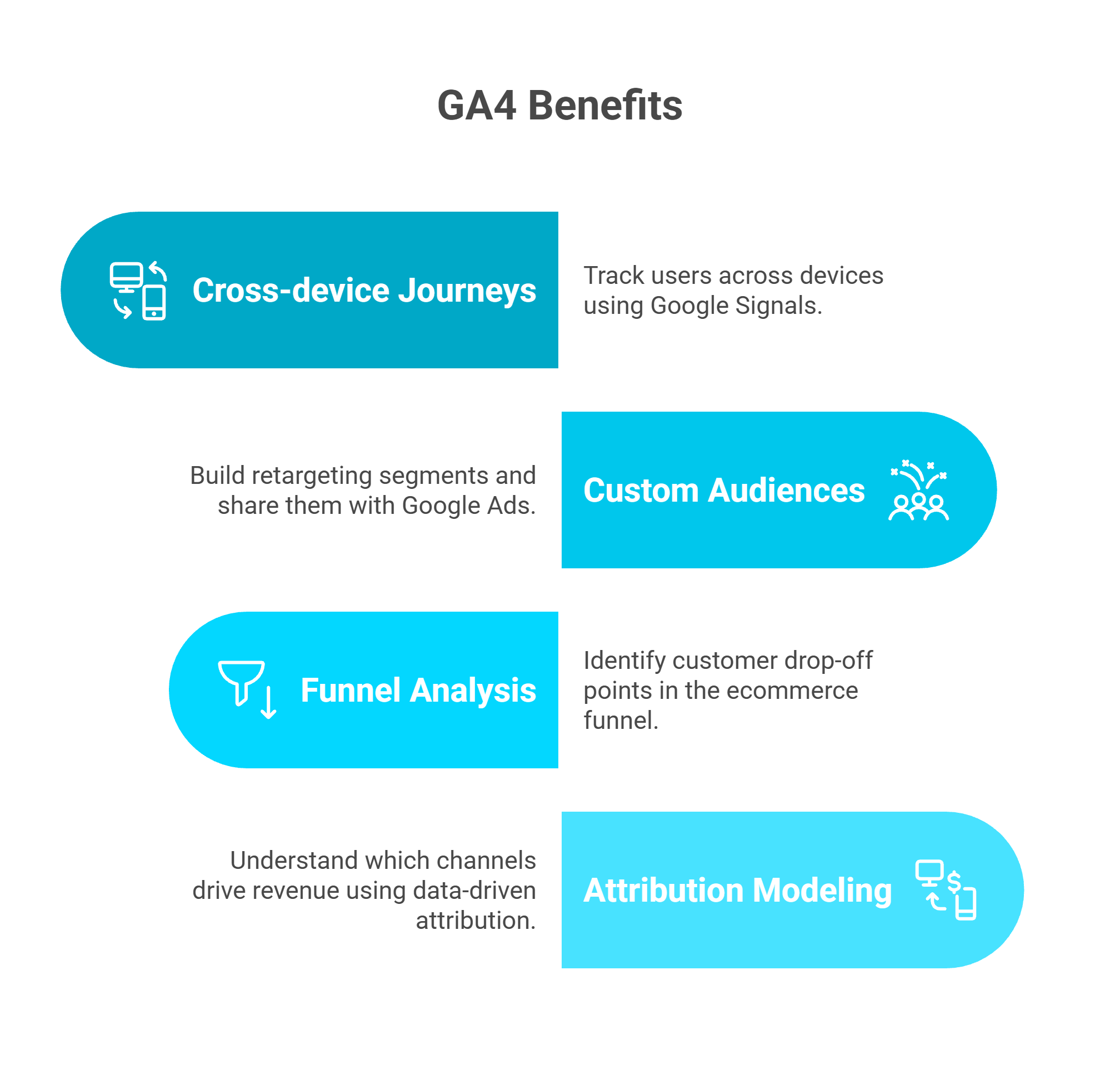
Infographic highlighting four core Google Analytics 4 benefits for Shopify stores, including cross-device user tracking, custom audience creation for Google Ads, ecommerce funnel analysis, and data-driven attribution modeling.
Cross-device user journeys Track users who browse on desktop and purchase on mobile, stitching sessions together through Google Signals
Custom audience creation Build retargeting segments (cart abandoners, product viewers, high-value repeat buyers) and share them directly with Google Ads
Ecommerce funnel analysis Identify exactly where customers drop off: view_item to add_to_cart to begin_checkout to purchase, with conversion rates at each stage
Attribution modeling Understand which channels actually drive revenue using data-driven attribution, not just last-click
📊 Where Shopify Analytics Still Wins
Shopify Analytics and GA4 are complementary, not competitors. Shopify's native analytics provides 100% accurate order data, real-time sales reporting, and built-in discount, refund, and inventory tracking, all of which GA4 cannot match. Use Shopify Analytics as your revenue source of truth. Use GA4 for behavioral insights and advertising optimization.
That said, even with both tools running, you're still looking at two separate dashboards that can't talk to each other or to your ad platforms, accounting software, or inventory systems. Many founders find themselves drowning in fragmented data across 8 to 12 disconnected tools. Luca AI unifies GA4 data with Shopify, Meta, Google Ads, Xero, and 20+ sources into a single reasoning layer, turning fragmented tracking into unified data intelligence that connects what customers do to what your business earns.
Q2. How Do You Create a Google Analytics 4 Property? (Step-by-Step) [toc=Create GA4 Property]
Before you can connect Google Analytics to your Shopify store, you need a GA4 property. This is where all your website data lives. It's the account that receives, processes, and reports on every event your store generates.
📋 Prerequisites
You need a Google account (any Gmail address works). Navigate to analytics.google.com and click Start measuring. If you previously used Universal Analytics, note that UA was sunset in July 2023. GA4 is now the only option for new setups, and you must create a fresh GA4 property regardless of your old configuration.
✅ Step-by-Step: Create Your GA4 Property
Create an Account Name it after your brand or company. Configure data sharing preferences based on your privacy requirements (enabling benchmarking is recommended for industry comparison data).
Create a Property Enter your store name. Select your reporting time zone and currency to match your Shopify settings exactly. This ensures revenue data aligns between platforms.
Complete Business Details Select industry category as "Shopping" and choose your business size. These settings help GA4 provide relevant benchmarks and recommendations.
Set Up a Web Data Stream Enter your Shopify store URL. ⚠️ Use your custom domain (e.g., www.yourbrand.com), not yourstore.myshopify.com. This ensures consistent tracking across all pages.
Verify Enhanced Measurement These toggles are ON by default. Keep them enabled to automatically capture scrolls, outbound link clicks, site search queries, video engagement, and file downloads at no extra configuration cost.
Copy Your Measurement ID You'll see a code formatted as G-XXXXXXXXXX. Save this. It's required for the Shopify connection in the next step.
⏰ Pro Tips for Optimal Configuration
Three settings to configure immediately that most guides skip:
Data retention: Go to Admin, then Data Settings, then Data Retention and switch from the default 2 months to 14 months (the maximum). This gives you access to longer historical data in Explorations.
Google Signals: Enable under Admin, then Data Settings, then Data Collection. This activates cross-device reporting, which is critical for stores where users browse on one device and purchase on another.
Google Ads linking: If you run Google Ads, link your account under Admin, then Product Links, then Google Ads immediately. This enables two-way conversion import and audience sharing from day one.
Your GA4 property is now ready to receive data. Once connected to Shopify via the methods below, Luca AI can ingest this behavioral data alongside your Shopify orders, ad platform spend, and accounting data, building a unified data intelligence layer that no single analytics property can provide alone.
Q3. How Do You Add Google Analytics to Shopify Using the Google & YouTube App? (Easiest Method) [toc=GA4 via Google App]
The Google & YouTube app is Shopify's official, recommended method for connecting GA4 to your store. It works on every Shopify plan, from Basic ($39/month) through Plus, and requires zero code. Most merchants complete the entire setup in under 10 minutes.
✅ Step-by-Step Installation
In your Shopify Admin, click Sales Channels in the left sidebar.
Click the "+" icon and search for "Google & YouTube."
Click Install and review the required permissions.
Click Connect Google Account and authorize access with the Google account that owns your GA4 property.
Under the Google Analytics section, click Connect and select your GA4 property from the dropdown (the one with your G-XXXXXXXXXX Measurement ID).
The app automatically installs the Google tag (gtag.js) on all storefront pages and checkout.
Verify the status shows "Connected" with a green checkmark.
⚠️ Important: If you previously had GA tracking code manually added to your theme.liquid file or through an older integration, remove it first to avoid duplicate event tracking. Running both the Google & YouTube app and a manual gtag.js snippet simultaneously is the single most common setup error. It doubles every event in your GA4 reports.
🔄 What This Method Handles Automatically
The Google & YouTube app leverages Shopify's Checkout Extensibility framework, which became mandatory across all stores as of August 2025, to fire ecommerce events at each checkout step. This means purchase tracking on the Thank You page, shipping and payment step events, and cart interactions all work out of the box without custom pixel configuration.
The app also handles Consent Mode v2 integration when paired with a Shopify-compatible cookie banner. When a customer declines cookies, the tag automatically adjusts its behavior to send anonymized, cookieless pings rather than full tracking data.
❌ Known Limitations
While the Google & YouTube app is the easiest path, it comes with trade-offs:
No support for custom events (scroll depth, video plays, form interactions)
Limited customization of event parameters
No server-side tracking. All data collection is browser-based
Estimated purchase tracking accuracy of 60 to 80% due to ad blockers, consent rejection, and cross-device gaps
The Google & YouTube app gets GA4 running in minutes, but its browser-based architecture means a meaningful percentage of conversions go unrecorded. Luca AI connects directly to Shopify's server-side order API for 100% transaction accuracy, then layers GA4 behavioral data on top, giving you both speed of setup and completeness of data. If you're evaluating the best AI tools for Shopify owners, this distinction between browser-based and server-side data capture is critical.
Q4. How Do You Install GA4 on Shopify Using Google Tag Manager? (Advanced Method) [toc=GA4 via GTM]
Google Tag Manager (GTM) is the right choice when you need capabilities the Google & YouTube app can't provide: custom event tracking (scroll depth, video plays, form submissions), multi-tag management (Meta Pixel, TikTok, Pinterest alongside GA4), or granular control over which tags fire and when.
⚠️ Critical Context: The Sandbox Environment
Since Shopify completed its Checkout Extensibility migration (August 2025 deadline, with auto-upgrades through January 2026), GTM must be loaded via Custom Pixels. Direct theme.liquid injection no longer works for checkout tracking. Custom Pixels run in a sandboxed iframe, which means standard DOM access, dataLayer.push from theme code, and traditional GTM auto-event triggers (click classes, form submissions) do not work inside the sandbox. All checkout events must use Shopify's analytics.subscribe() API.
✅ Step-by-Step: GTM via Custom Pixel
Create a GTM container at tagmanager.google.com if you don't already have one. Copy your container ID (GTM-XXXXXXX).
In Shopify Admin, navigate to Settings, then Customer Events.
Click "Add Custom Pixel" and name it "Google Tag Manager."
Paste the GTM container loading script. This must be a sandbox-compatible version that initializes GTM within Shopify's iframe environment. The script creates the dataLayer, loads the GTM library, and establishes the connection.
Set pixel permissions: Choose "Not required" for basic tracking or "Required" if you want the pixel to respect customer consent preferences through Shopify's Customer Privacy API.
Save and connect the pixel. Toggle it to "Active."
Inside GTM: Create a GA4 Configuration tag with your Measurement ID (G-XXXXXXXXXX). Set the trigger to "All Pages."
Set up ecommerce event tags using Shopify's analytics.subscribe() to listen for: checkout_started, checkout_shipping_info_submitted, payment_info_submitted, and checkout_completed.
Publish your GTM container.
🔧 Storefront vs. Checkout Tracking
For storefront events (product views, collection views, add-to-cart), you have two options: use Shopify's Web Pixels API with analytics.subscribe()for events like product_viewed and collection_viewed, or use a bridging script in your theme that passes data into the sandbox. For checkout events, Shopify's Customer Events API is the only reliable path. The sandbox fully isolates the checkout from direct DOM manipulation.
"The sampling is increasingly wild, and now it applies a threshold. If you don't pay for BigQuery, you're really tied hand and foot." — Verified User in Retail, G2 Verified Review
"The downside of GA is its learning curve, especially with GA4. The interface and reporting structure are not very intuitive at first, and finding specific metrics or building custom reports can take time." — Aman S., Performance Marketing Head, G2 Verified Review
GTM gives advanced merchants granular control and multi-tag flexibility, but it still can't overcome the fundamental limitation of browser-based tracking. Ad blockers, Safari ITP, and Consent Mode collectively reduce data fidelity by 20 to 40%. Luca AI's direct Shopify integration captures 100% of order data server-side, making the tracking accuracy debate irrelevant for revenue and customer metrics. For merchants looking to track e-commerce unit economics with precision, server-side data is non-negotiable. Learn more about how Luca thinks to understand the architectural difference between passive dashboards and an AI Co-Founder for e-commerce.
Q5. Which GA4 Setup Method Should You Choose? (Comparison With Accuracy Benchmarks) [toc=Setup Method Comparison]
For most Shopify merchants, the Google & YouTube App is the right starting point. It's free, code-free, and handles standard ecommerce events automatically. Choose GTM if you need custom events or manage three or more marketing tags. Consider third-party apps like Littledata or Analyzify if tracking accuracy is your top priority and you're prepared to invest $99 to 299/month.
✅ Method Comparison
GA4 Setup Method Comparison for Shopify
Method
Difficulty
Cost
Auto Ecommerce Events
Customization
Best For
Google & YouTube App
Easy
Free
12 events auto-tracked
Low
Most merchants
GTM Custom Pixel
Advanced
Free
Manual setup required
High
Technical teams, multi-tag setups
Third-Party Apps (Littledata, Analyzify)
Medium
$99 to 299/mo
Enhanced auto + server-side
Medium
Accuracy-focused stores
But here's what none of those guides tell you: no browser-based method delivers 100% accuracy. Every approach above is subject to the same fundamental constraint. JavaScript tags running in a user's browser can be blocked, rejected, or broken.
📊 Data Accuracy Benchmarks
GA4 Data Accuracy Benchmarks by Setup Method
Method
Est. Purchase Tracking Accuracy
Why
Google & YouTube App
60 to 80%
Ad blockers, consent rejection, cross-device gaps
GTM Custom Pixel
70 to 85%
Same browser limitations, slightly better with custom triggers
Third-Party Server-Side Apps
85 to 95%
Server-side supplementation bypasses most browser issues
Luca AI Unified Intelligence
100% order data
Direct Shopify API + enriched with GA4, ad platforms, and financial data
Accuracy estimates reflect EU/EEA traffic with Consent Mode v2 enabled. Markets with lower ad blocker and consent rejection rates may see higher GA4 accuracy.
As one Shopify merchant described the discrepancy challenge:
"I have set up the Shopify Google sales channel app > Added my GA4 tracking number. It is tracking data, but it's not accurate. I'm finding each week is so different, about 10-20% of orders are missing." — Shopify Community Member, Shopify Community Thread
💡 The Accuracy Ceiling
The benchmark table reveals a structural reality: GA4's browser-based architecture has a data ceiling that no setup optimization can fully resolve. Regardless of which installation method you choose, Luca AI connects directly to Shopify's order API, your ad platforms, and your accounting tools to deliver a single source of truth. You get GA4's behavioral insights plus 100% transaction accuracy plus unified data intelligence, without reconciling conflicting numbers every Monday morning. For merchants already struggling with declining platform ROAS vs true profitability, this accuracy gap makes confident decision-making nearly impossible.
Q6. What Ecommerce Events Does GA4 Track on Shopify, and How Does Consent Mode Affect Them? [toc=GA4 Events and Consent Mode]
When you connect GA4 via the Google & YouTube App, Shopify automatically sends 12 standard ecommerce events without any custom code. These events follow Google's recommended ecommerce data schema and power GA4's built-in Monetization reports, including the Purchase Journey and Ecommerce Purchases views.
✅ Complete GA4 Ecommerce Events on Shopify
GA4 Ecommerce Events Automatically Tracked on Shopify
These events map directly to Shopify's Customer Events API through Checkout Extensibility. For example, Shopify's checkout_completed function triggers GA4's purchase event, and payment_info_submitted maps to add_payment_info.
⚠️ How Consent Mode v2 Changes What Gets Captured
When a visitor declines cookies via your cookie banner, GA4 tags switch to "cookieless pings", stripped-down, anonymized signals that preserve aggregate reporting through Google's behavioral modeling. In practice, this creates two tiers of data quality:
Consenting users Full event data with user-level attribution, audience membership, and conversion tracking
Non-consenting users Modeled, anonymized data with no individual-level detail; Google estimates behavior based on statistical patterns from consenting users
In the EU/EEA, 30 to 60% of visitors typically decline cookies, meaning a significant portion of your GA4 ecommerce data relies on Google's statistical modeling rather than observed behavior. This is why many founders find themselves drowning in data that they can't fully trust.
🔧 Implementing Consent Mode v2 on Shopify
Install a Shopify-compatible cookie consent banner. Pandectes, Consentmo, or CookieYes are popular, tested options.
Ensure the banner integrates with Shopify's Customer Privacy API. This is how consent signals reach your tracking tags.
For the Google & YouTube App, consent signals are respected automatically when a compatible banner is installed. No additional configuration needed.
For GTM setups, configure consent initialization triggers and set default consent states to denied for EU visitors, switching to granted upon acceptance.
Verify signals are received in GA4 under Admin, then Data Streams, then Consent Settings.
"It is becoming very opaque, it doesn't have real-time, the sampling is increasingly wild, and now it applies a threshold. If you don't pay for BigQuery, you're really tied hand and foot." — Verified User in Retail, G2 Verified Review
Even with all 12 events firing and Consent Mode properly configured, GA4's ecommerce data is a modeled approximation, not a complete transaction record. Luca AI bypasses this limitation entirely by pulling actual order data from Shopify's server-side API, then enriching it with behavioral signals from GA4 and conversion data from ad platforms. Explore how Luca thinks to understand how this data analysis and deep research layer delivers decisions grounded in reality, not statistical estimates.
Q7. How Do You Verify GA4 Is Working, and Fix Common Shopify Tracking Issues? [toc=Verify and Troubleshoot GA4]
An incorrect GA4 setup means weeks or months of corrupted data silently influencing your marketing decisions. Before trusting any GA4 report, you need to confirm that events are firing correctly, and always verify with a test purchase, not just page views.
✅ Step-by-Step Verification Workflow
Install the Google Analytics Debugger Chrome extension and enable it.
Open your Shopify store in a new tab (use an incognito window to avoid cached sessions).
In GA4, navigate to Admin, then DebugView. You should see page_view events appearing within seconds.
Browse to a product page. Confirm view_item event fires with correct item name, value, and currency.
Add to cart. Confirm add_to_cart event with the correct product and price.
Proceed through checkout. Confirm begin_checkout, add_shipping_info, and add_payment_info events fire in sequence.
Complete a test purchase. Confirm purchase event fires with transaction_id and correct order value.
Cross-check in GA4, then Reports, then Monetization, then Ecommerce Purchases. The test order should appear within 24 to 48 hours.
⚠️ Alternative: Google Tag Assistant
If you prefer a visual tag checker, use Google Tag Assistant. Enter your store URL, browse the site, and Tag Assistant will show every tag firing on each page, including whether your GA4 Measurement ID is detected and which events it records.
❌ The 5 Most Common Tracking Issues (and How to Fix Them)
1. No events firing at all Check that the Google & YouTube app shows "Connected" status in your Shopify admin. If using GTM, verify the Custom Pixel is toggled to "Active" and the GTM container is published (not in draft).
2. Duplicate events (two purchase events per order) You're likely running both the Google & YouTube app AND a manual gtag.js snippet or GTM GA4 tag simultaneously. Remove one. Never run two GA4 implementations in parallel.
3. Missing purchase events specifically Consent Mode may be blocking checkout tracking for non-consenting users. Test with consent granted first. Also check if accelerated checkouts (Shop Pay, Apple Pay) are processing transactions through redirected flows that skip your standard page-load tracking. This is one reason why tracking e-commerce unit economics accurately requires more than browser-based analytics alone.
4. Events fire on storefront but not at checkout Your Checkout Extensibility migration may be incomplete. Shopify auto-upgraded stores starting January 2026, but verify in Shopify Admin, then Settings, then Checkout that you're running the new extensible checkout, not legacy checkout.liquid.
5. Events appear in DebugView but not in standard reports This is normal. GA4 standard reports have a 24 to 48 hour processing delay. DebugView shows events in real-time; reports do not. Wait two full days before flagging this as an issue.
"The change to GA4 has been for the worse. Functionalities have been lost... sessions do not match the session_start event. To make decisions based on grounded data, it is really difficult to trust it 100% and it complicates decision-making." — Verified User in Retail, G2 Verified Review
If your GA4 shows events firing correctly in DebugView but still doesn't match your Shopify order count, that's not a setup error you can fix. That's the inherent accuracy ceiling of browser-based tracking, which the next section covers in depth. Luca AI sidesteps this entirely with direct server-side Shopify data integration, making it one of the best AI tools for Shopify owners who need reliable data without reconciliation.
Q8. Why Is GA4 Data Different from Shopify Analytics? (The Accuracy Problem Every Merchant Faces) [toc=GA4 vs Shopify Data Gap]
You followed every step in this guide. GA4 is connected. Events are firing. DebugView confirms everything works. Two weeks later, you pull your first real report: Shopify shows 142 orders worth €18,400. GA4 shows 97 purchases worth €12,100. A 32% gap, and €6,300 in "invisible" revenue.
You start questioning whether the setup is broken. It's not. This is GA4 working exactly as designed.
⚠️ Why This Happens: 5 Root Causes You Can't Fix Through Setup
These aren't configuration errors. They're architectural limitations of browser-based analytics in a privacy-first web:
Ad blockers prevent GA4's JavaScript tag from loading entirely, affecting 15 to 25% of visitors depending on market and demographics
Cookie consent rejection under GDPR/Consent Mode v2 stops individual tracking for 30 to 60% of EU visitors
Cross-device gaps A user browses on desktop and purchases on mobile; GA4 may count these as separate, unconnected users
Accelerated checkouts (Shop Pay, Apple Pay, Google Pay) process transactions through redirected flows that can skip standard page-load tracking
Browser privacy features (Safari ITP, Firefox ETP) limit cookie lifetime to 7 days, breaking multi-session attribution
On average, 20 out of every 100 Shopify orders fail to appear in Google Analytics, and this figure worsens with EU-heavy traffic.
💸 The Hidden Costs of the Accuracy Gap
The downstream impact compounds across every business function:
Financial planning You can't use GA4 revenue numbers for investor reporting, cash flow forecasting, or P&L reconciliation
Marketing attribution Channels driving conversions through multi-device journeys are systematically undervalued, leading to misallocated ad budgets
Team productivity Your team wastes hours each week manually reconciling conflicting data: "Shopify says X, GA4 says Y, Meta says Z"
Missed opportunities A 20 to 40% data gap means 20 to 40% of your customer journey is invisible; decisions made on incomplete data compound into wasted spend or missed scaling windows
"It has pretty substantial limitations for ecommerce tracking and often isn't close to accurate for conversion rate, number of orders, or revenue." — Verified User in IT, G2 Verified Review
"GA4 should be called 'Make All of Your Own Reports, We Got Rid of All The Useful Default Ones'... Almost all of the super popular, easy-to-use, out-of-the-box reports now have to be manually created." — Verified User in Computer Software, G2 Verified Review
✅ How Luca AI Solves This
Luca AI doesn't try to patch browser-based tracking. It replaces the need for it as your revenue source of truth. By connecting directly to Shopify's server-side order API, Luca captures 100% of transactions regardless of ad blockers, consent status, or payment method. It then enriches this complete order data with GA4 behavioral signals and ad platform performance data, giving you both accuracy and depth.
Ask "What's my true ROAS by channel this month?" and get an answer that reconciles Shopify orders, GA4 attribution, and Meta/Google Ads spend automatically. No spreadsheets. No conflicting dashboards. No Monday morning reconciliation sessions. This is the core of the intelligence-capital thesis: analytics without action is just a more sophisticated way to watch problems unfold.
From 3-hour weekly data reconciliation across Shopify, GA4, and ad platforms, to a single unified source of truth that updates in real-time. That's the shift from patching fragmented tracking to building on unified data intelligence. Discover why scaling merchants are choosing an AI Co-Founder for e-commerce over stacking more siloed tools.
Q9. What Should You Do After GA4 Setup? (Your First 30-Day Roadmap) [toc=Post-Setup 30-Day Roadmap]
Most GA4 setup guides end at installation, leaving merchants with a tool that's technically connected but practically gathering dust. GA4 without a monitoring plan becomes a data graveyard. Here's a week-by-week roadmap to extract actionable value from day one.
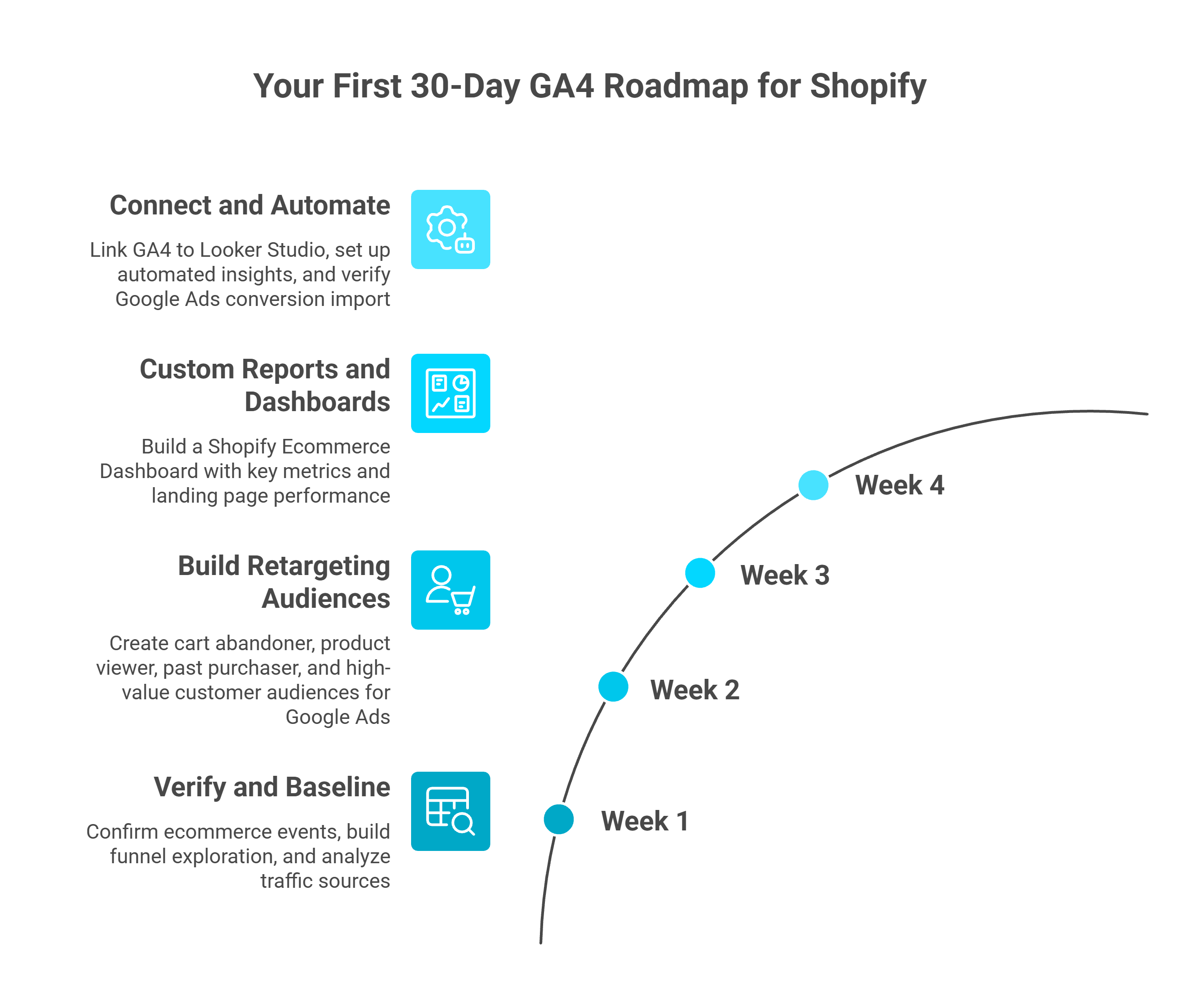
Visual timeline showing a four-week post-setup roadmap for Google Analytics on Shopify, covering event verification, retargeting audience creation, custom dashboard building, and Looker Studio automation.
⏰ Week 1: Verify and Baseline
Your sole focus this week is confirming accuracy and establishing benchmarks:
Verify all ecommerce events fire correctly using the DebugView workflow from Q7. Complete at least one test purchase end-to-end.
Build your first Funnel Exploration: Navigate to Explore, then Funnel Exploration and create a funnel with these steps: view_item to add_to_cart to begin_checkout to purchase. This reveals your baseline conversion rate at each stage.
Check Acquisition reports (Reports, then Acquisition, then Traffic Acquisition) to identify which channels drive traffic vs. which drive revenue. They're often very different. Organic may bring 60% of sessions but only 20% of purchases.
⏰ Week 2: Build Retargeting Audiences
GA4 audiences automatically sync to Google Ads, making this the highest-ROI activity in your first month. Navigate to Admin, then Audiences, then New Audience and create these four segments:
Cart abandoners Triggered add_to_cart but NOT purchase in the last 7 days
Product viewers without purchase Triggered view_item 3+ times but no purchase in the last 14 days
Past purchasers Triggered purchase in the last 30 days (for cross-sell/upsell campaigns)
High-value customers Purchase value greater than 2x your average order value
Link these audiences to Google Ads under Admin, then Product Links for immediate remarketing activation. Understanding which audiences convert best is also critical for marketing analysis and automation at scale.
⏰ Week 3: Custom Reports and Dashboards
Build a Shopify Ecommerce Dashboard using GA4's custom report builder. Key metrics to include:
Purchase revenue by source/medium
Average order value trends (weekly)
Add-to-cart rate by device category (desktop vs. mobile vs. tablet)
Top-selling products by revenue, not just by views
Landing page performance by ecommerce conversion rate
⏰ Week 4: Connect and Automate
Link GA4 to Looker Studio for a live, auto-updating dashboard shareable with your team
Set up automated insights GA4's machine learning automatically surfaces anomalies in your data; review these weekly
If running Google Ads, verify that GA4 conversions are imported correctly and review the attribution model (default: data-driven)
"Steep Learning Curve and Complex Reporting Diminish Google Analytics Experience... finding specific metrics or building custom reports can take time." — Aman S., Performance Marketing Head, G2 Verified Review
This 30-day plan gets GA4 producing useful reports. But notice what it still requires: manual dashboard building, separate audience management, and zero connection to your financial or operational data. Once you've outgrown weekly manual reporting, Luca AI lets you ask questions like "Which landing page drives the highest-margin first-time purchasers?" and get answers in seconds, with financial management context included, no Looker Studio required.
Q10. Beyond GA4: Why Do Scaling Shopify Stores Need Unified Analytics? [toc=Why Unified Analytics Matters]
You've now set up GA4 on your Shopify store, and you absolutely should have it running. But here's what founders hitting €1M+ revenue quickly discover: GA4 is one piece of an 8 to 12 tool puzzle. You're toggling between Shopify for order data, GA4 for behavior, Meta Ads Manager for acquisition costs, Klaviyo for retention metrics, and Xero or QuickBooks for financials. Each tool sees a fragment. None sees the whole business.
❌ The Rear-View Mirror Trap
GA4 tells you what happened on your website, past tense. It doesn't tell you why your ROAS dropped (creative fatigue? audience saturation? seasonal pattern?), whether you can afford to scale the campaign that's working, or how your marketing spend impacts your 90-day cash position.
Analytics dashboards like Triple Whale expand the view to marketing data but still can't answer cross-functional questions. And the experience of relying on these tools can be deeply frustrating. Many merchants are actively exploring Triple Whale alternatives for exactly this reason:
"Our experience with Triple Whale has been extremely frustrating and almost categorically terrible. The integrations are inconsistent, building with the AI tool Moby is very buggy and crashes more than half the time... overall it has been unable to deliver on the promise to provide any insights or accurate data to our business, and we end up reverting back to direct data sources like Meta, Shopify, Recharge, etc." — Matt Huttner, Trustpilot Verified Review
"Broken Integrations & Fake Attribution for External Marketplaces... Since day one, the data has been inaccurate. Daily revenue totals are wrong, entire order blocks are missing... Triple Whale shows orders from external marketplaces as if they were real conversions even though these orders never go through our Shopify store. Completely fake data." — XTRA FUEL, Trustpilot Verified Review
Meanwhile, financing providers offer capital without understanding whether it's the right move. The result: dashboards that show problems but can't solve them, and capital providers who fund opportunities without understanding the downstream implications. This is why so many founders find themselves drowning in data without gaining clarity.
💡 The Synthesis Thesis
The competitive advantage in 2026 isn't having more analytics tools. It's having a system that reasons across all your data. Intelligence without capital is advice. Capital without intelligence is risk. The shift is from passive reporting ("what happened?") to active intelligence ("what should I do next, and can I fund it?").
A system that connects commerce, marketing, finance, and operations into one reasoning layer, and can act on it, fundamentally changes how fast scaling brands can grow. This is the core idea behind the intelligence-capital thesis.
✅ Luca AI: The AI Co-Founder
Luca AI is designed as the first AI Co-Founder for e-commerce, connecting 20+ data sources (including GA4, Shopify, Meta, Google Ads, Xero, Stripe) into a unified intelligence layer. Ask cross-functional questions in natural language: "If I scale my top Meta campaign 50%, what happens to my cash position in 90 days?" Get answers in seconds that reason across marketing, finance, inventory, and operations.
When the answer reveals a scaling opportunity, access instant, dynamically-priced capital to fund it, no separate application, no waiting. Proactive intelligence scans your business 24/7, surfacing risks and opportunities before they hit your P&L. Discover how AI can actually help you run your e-commerce business beyond what passive dashboards offer.
💰 The Shift
GA4 is your analytics foundation. Luca AI is the intelligence layer built on top, turning fragmented tracking into cross-functional understanding, and understanding into funded action. The question isn't "Which tool has the most features?" It's "Which system can reason about my business the way a co-founder would?" For founders ready to make that shift, explore what agentic AI for ecommerce founders looks like in practice.
Q11. Frequently Asked Questions About Google Analytics and Shopify [toc=GA4 Shopify FAQ]
Is Google Analytics free for Shopify?
✅ Yes. GA4 is completely free for all Shopify plans. There is no paid tier required for standard ecommerce event tracking. The only paid component in the Google Analytics ecosystem is BigQuery export for raw data access, which is optional and usage-based.
Does Google Analytics work on Shopify Basic?
✅ Yes. The Google & YouTube app works on every Shopify plan: Basic ($39/month), Shopify ($105/month), Advanced ($399/month), and Plus ($2,300+/month). All 12 standard ecommerce events are available regardless of plan tier.
How do I check if GA4 is working on my Shopify store?
Use GA4's DebugView (Admin, then DebugView) with the Google Analytics Debugger Chrome extension enabled. Visit your store and confirm page_view events appear within 30 seconds. Then complete a test purchase to verify the purchase event fires with the correct transaction_id and order value. Cross-check in Reports, then Monetization, then Ecommerce Purchases within 24 to 48 hours.
Why does GA4 show fewer orders than Shopify?
GA4 uses browser-based tracking that's blocked by ad blockers (15 to 25% of users) and cookie consent rejection (30 to 60% of EU visitors under Consent Mode v2). A 20 to 40% discrepancy between GA4 purchases and Shopify orders is normal and expected. It's an architectural limitation, not a setup error. This is one of the core reasons scaling merchants look for e-commerce analytics tools that fund your campaigns with server-side accuracy.
"Sampling, sampling, sampling. For a data and algorithm based company, Google does a terrible, terrible job of estimating reality... the data just cannot be trusted." — Gitai B., Marketing & Web Analytics Lead, G2 Verified Review
Should I use Google Analytics or Shopify Analytics?
Use both. They're complementary. Shopify Analytics provides 100% accurate order and revenue data, real-time sales performance tracking, and native discount/refund reporting. GA4 provides behavioral insights (user journeys, funnel drop-offs), audience building for Google Ads remarketing, and cross-channel attribution. Neither alone gives you the complete picture.
Can GA4 track the Shopify checkout?
✅ Yes, as long as your store uses Checkout Extensibility, which has been mandatory for all Shopify stores since August 2025. Both the Google & YouTube app and GTM Custom Pixels support checkout event tracking through Shopify's Customer Events API (analytics.subscribe).
What is Consent Mode v2 and do I need it for my Shopify store?
Consent Mode v2 is Google's framework for GDPR-compliant tag behavior. If you serve customers in the EU/EEA/UK, it's mandatory. Install a Shopify-compatible cookie consent banner (Pandectes, Consentmo, or CookieYes) that integrates with Shopify's Customer Privacy API. The Google & YouTube app automatically respects these consent signals. No additional code required.
Can I use both the Google & YouTube app and Google Tag Manager?
⚠️ Yes, but with caution. If you run both, ensure you're not firing duplicate GA4 tags. Use the Google & YouTube app for the base GA4 configuration and GTM only for additional custom events (scroll tracking, video engagement, custom interactions), never for a second GA4 Measurement ID tag. Duplicate tags are the most common cause of inflated event counts. If you're running into technical issues with your analytics stack, learn how Luca AI troubleshoots process malfunctions across your entire data ecosystem. Check Luca AI pricing to see how unified intelligence compares to stacking multiple siloed tools.
FAQ's
Can I add Google Analytics to Shopify without coding or technical skills?
Yes. We recommend the Google & YouTube Channel app (Method 1) for non-technical Shopify merchants. This method takes 10-20 minutes and requires zero code editing.
Setup process:
Install the official Google & YouTube app from Shopify App Store
Connect your Google account containing your GA4 property
Select your GA4 Measurement ID from the dropdown
Click "Connect" and verify the green checkmark confirmation
The app automatically handles February 2026's mandatory Checkout Extensibility requirements (no manual checkout.liquid editing needed like older tutorials suggest).
You'll get automatic tracking for: page views, product views, add to cart, begin checkout, and purchase events. GA4 will show 85-92% of your Shopify revenue (10-15% underreporting is architectural and expected).
However, this method has limitations: no custom event tracking, no multi-pixel support, and limited checkout visibility on Basic/Standard Shopify plans. If you need advanced features, Method 2 (Google Tag Manager) requires moderate technical skills or hiring a Shopify Expert ($300-$800).
Once GA4 is running, you'll discover it answers "what happened" brilliantly but leaves strategic questions unanswered. That's where unified intelligence platforms like Luca AI bridge the gap between marketing metrics and cross-functional business decisions.
Why is my Google Analytics revenue lower than Shopify sales reports?
If GA4 shows 85-92% of your Shopify revenue, your tracking is working correctly. This 10-15% discrepancy is architectural, not a setup error.
Shopify tracks every order server-side (100% reliable backend tracking). GA4 tracks browser-side (client-side JavaScript) which faces unavoidable obstacles:
Main causes of underreporting:
Ad blockers and privacy tools (15-25% of users)
Safari Intelligent Tracking Prevention blocks 24% of iOS users
Page load abandonment (users close tab before tracking fires)
JavaScript errors from conflicting apps
Draft orders and POS transactions GA4 can't see
When to investigate:
10-15% underreporting = NORMAL (accept this)
15-25% underreporting = check setup (verify Measurement ID, test purchases in DebugView)
25% underreporting = confirmed error (revisit installation steps or hire Shopify Expert)
Use Shopify for financial reporting and taxes. Use GA4 for marketing attribution (which channels work). Don't expect perfect alignment.
The more critical question: Even with perfect GA4 accuracy, you still can't answer "Is this growth profitable? Can I afford to scale? Which channels drive fundable customers?" These require cross-functional intelligence across marketing, finance, and operations - a category GA4 wasn't built for.
Should I use the Google Channel app or Google Tag Manager for my Shopify store?
Choose based on your revenue stage and tracking complexity needs, not which is "better."
Use Google Channel App (Method 1) if:
$500K-$3M annual revenue
Running 1-3 marketing channels (Meta, Google Ads)
Non-technical team with no developer access
Need basic ecommerce tracking (traffic, conversions, revenue by source)
Want fastest implementation (10-20 minutes)
Use Google Tag Manager (Method 2) if:
$2M-$10M annual revenue
Managing 4+ marketing channels or multiple pixels (Meta, TikTok, Pinterest)
Need custom event tracking (quiz completions, loyalty actions, video engagement)
Have developer access or budget for Shopify Expert
On Shopify Basic/Standard plan needing full checkout visibility
Method 1 delivers 80% of what sub-$3M merchants need with 20% complexity. Method 2 provides 95% measurement capability with 4x setup time (60-90 minutes).
Both methods share the same limitation: they measure marketing performance in isolation. Neither tells you if growth is profitable after COGS, if you have cash to scale, or if operations can support velocity.
That's why scaling merchants eventually need AI-powered marketing analysis and automation that connects attribution data to financial health and capital readiness, moving from passive dashboards to proactive intelligence.
What are the biggest limitations of Google Analytics for e-commerce decision-making?
GA4 excels at tactical marketing questions but fails at strategic business decisions. Here's what GA4 fundamentally can't measure:
1. True profitability: GA4 shows a campaign drove $85K at 4.2x ROAS. But is it profitable after COGS, fulfillment costs, return rates (28% vs 12% baseline), payment processing fees, and discount erosion? GA4 has no visibility into these variables.
2. Cross-functional constraints: GA4 says your TikTok campaign is crushing it. Should you triple budget? GA4 can't tell you if: inventory will last 3 days at tripled velocity, 3PL is at 94% capacity (triggering overflow fees), support tickets will 3x and collapse response times, or return processing can handle volume spike.
3. Capital efficiency: Which channels drive fundable customers (high LTV, sustainable CAC, strong repeat rates)? GA4 tracks first-purchase attribution but can't model cohort economics, cash conversion cycles, or working capital requirements.
4. Operational readiness: Can your business support the growth GA4 identifies? Requires connecting: marketing velocity + inventory capacity + supplier terms + fulfillment constraints + support bandwidth.
The intelligence gap emerges at $2M-$10M revenue when founders spend 10-15 hours/week manually consolidating GA4 with Shopify, Xero, inventory systems, and 3PL data - only to make decisions based on stale analysis.
We built Luca AI to solve this: cross-functional reasoning that synthesizes marketing attribution with financial health, operational capacity, and instant capital access. GA4 tells you what happened. Intelligence tells you what to do next.
Do I need premium analytics apps like Elevar, Littledata, or Analyzify for my Shopify store?
Only if you meet specific criteria. For most sub-$5M merchants, free native GA4 (85-92% accuracy) is strategically sufficient.
Consider premium apps ($99-$899/month) if you meet 2+ criteria:
Raising institutional capital - Investors require <5% variance for due diligence confidence
ROI calculation example: If 7% better accuracy lets you reallocate 5% of $100K monthly spend ($5K) to high-ROAS channels (20% improvement = $1K/month profit gain), annual ROI: $12K gain - $6K app cost = $6K net benefit.
Critical reframe: Premium apps solve an accuracy problem (getting from 85% to 95%). They don't solve the intelligence problem (connecting marketing data to profitability, cash position, and operational capacity).
If you're evaluating $500-$899/month for analytics apps, also consider: Would that budget deliver more strategic value invested in unified intelligence that replaces fragmented tool stacks - synthesizing analytics + finance + capital into one AI Co-Founder system? Different category, different value proposition: outcome ownership vs measurement refinement.
Enjoyed the read? Join our team for a quick 15-minute chat — no pitch, just a real conversation on how we’re rethinking Ecommerce with AI - Luca
Loading Schedule...
Your AI Co-Founder is here.
Here’s why:
Shopify, Meta, Xero - one brain.
"Should I scale?" Answered with real data.
Growth capital. No applications. One click.
Thank you! Your submission has been received! Please book a time slot for the Meeting
Oops! Something went wrong while submitting the form.

.jpg)